Enable Integration with Anthology Payroll
Note: Users performing this task must have the CMC: Federal work study administrator / CMC: Federal work study manager / Human resource manager / System administrator role.
-
Navigate to Human resources > Setup > Human resources shared parameters.
-
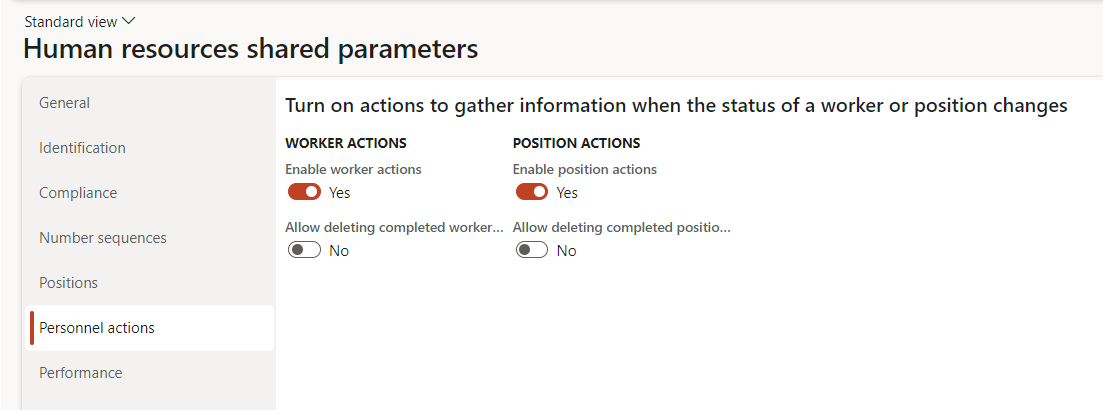
Select the Personnel actions tab.
-
Turn on WORKER ACTIONS and POSITION ACTIONS.
-
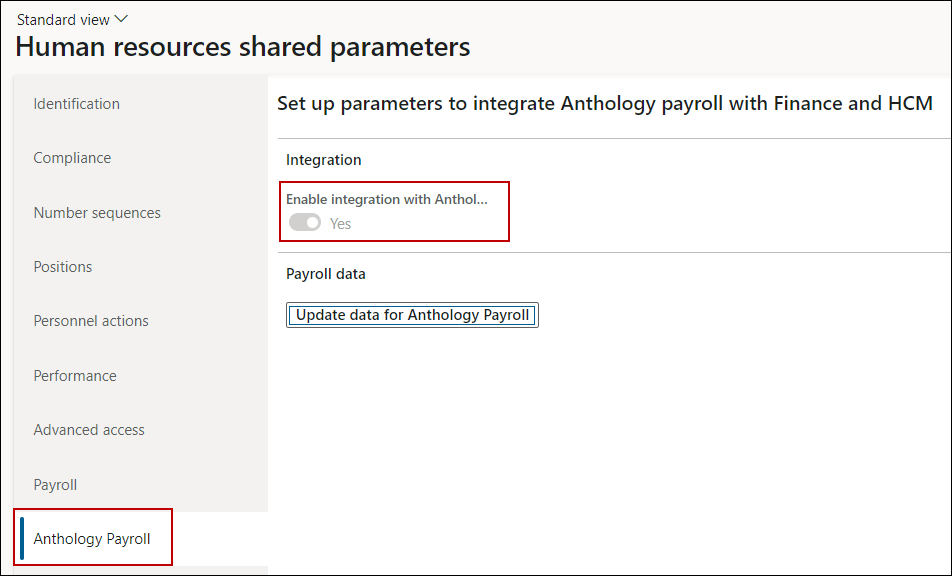
Select the Anthology Payroll tab.
-
Expand the Integration FastTab and set the Enable integration with Anthology Payroll field to Yes.
Note: Once this option is enabled, it cannot be disabled later.
-
In the Payroll data section, select Update Data for Anthology Payroll.
On the Update Data for Anthology Payroll Batch Job page, specify the required configurations and select OK.
-
Select Save and close the form.
