Create a Date Interval
The Date interval is an essential part of setting up general ledger reporting. It defines a default date range for transmitting timesheet records to Anthology Payroll and identifies the date range for publishing records to third-party systems through the Azure Service Bus.
Examples:
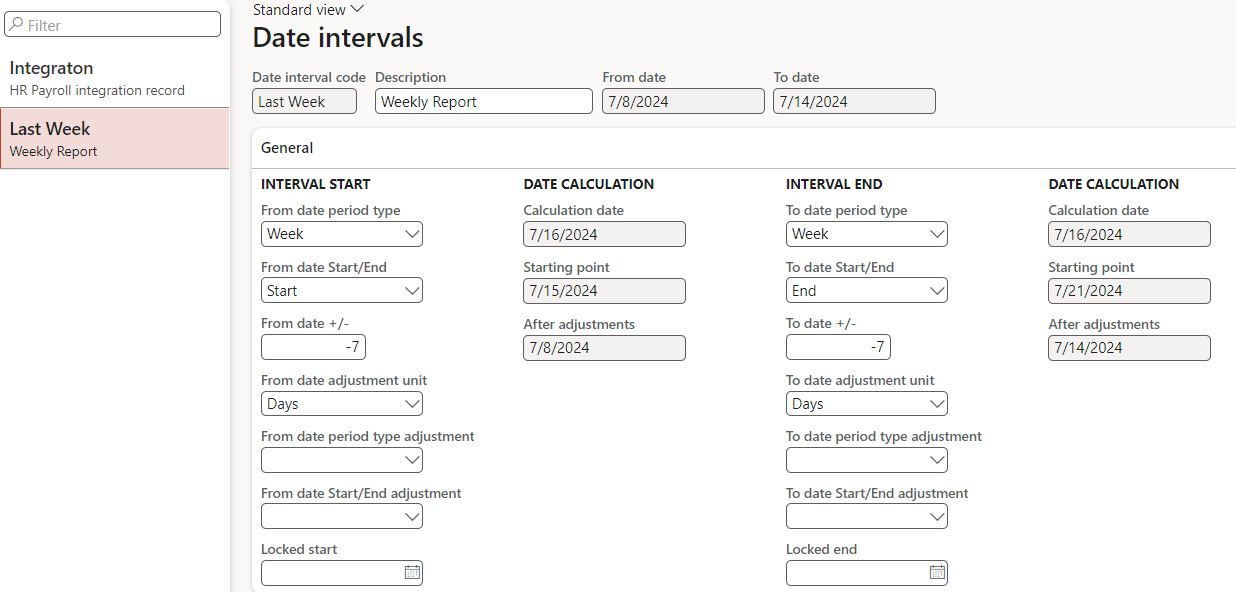
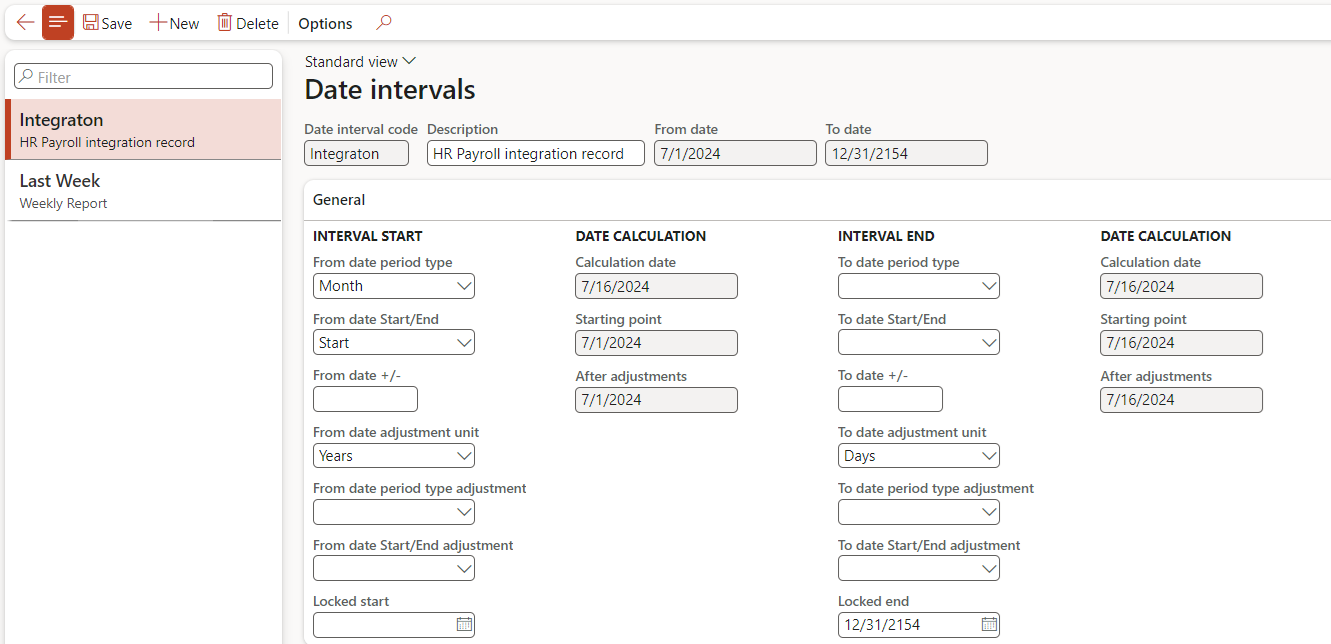
You can configure a date interval for:
-
Last Week (e.g., for timesheets)
-
One Year Ago to the End of 2154 (e.g., for third-party integration)
To configure each date interval that you wish to use, perform the following steps:
-
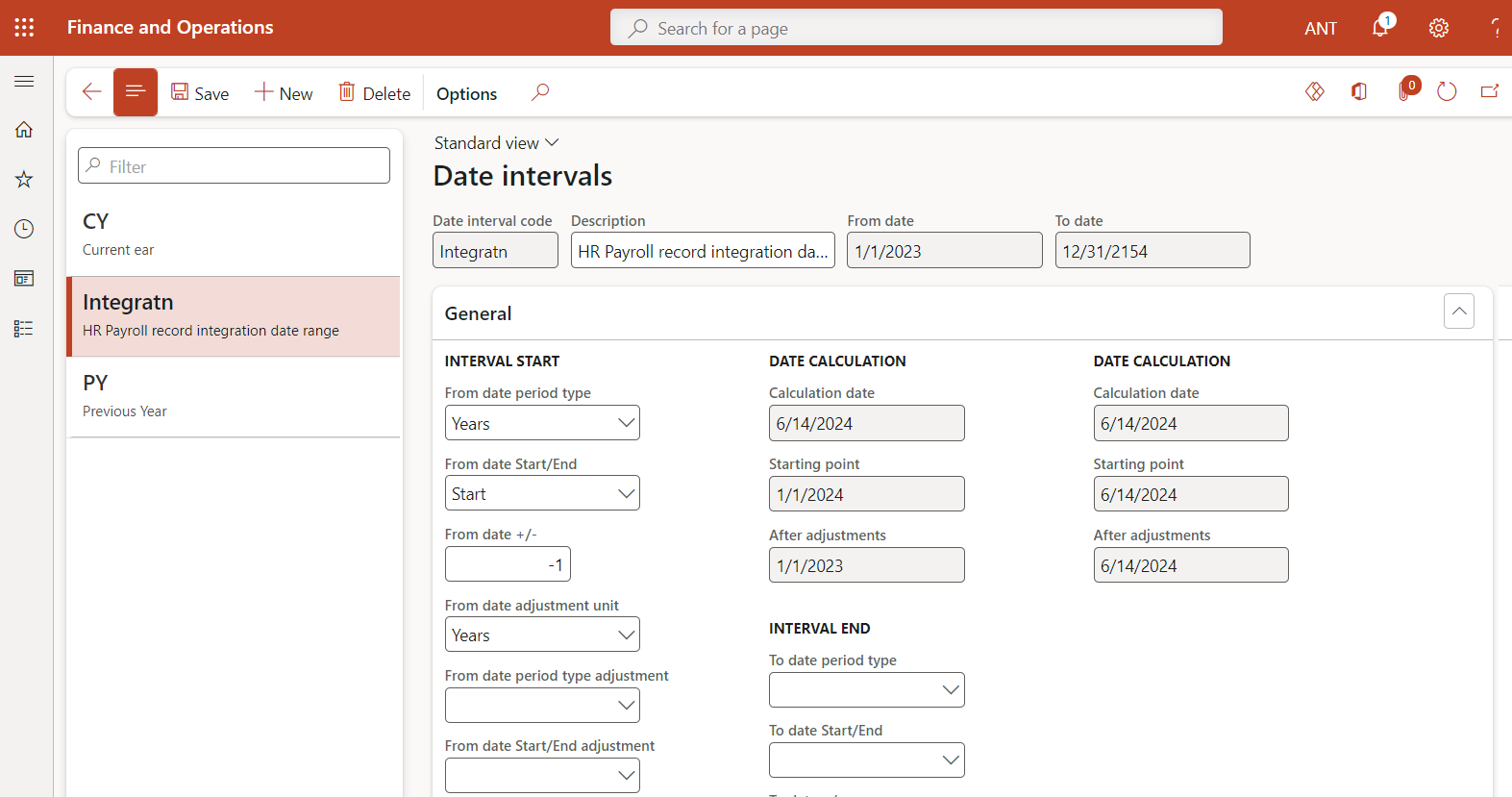
Navigate to General ledger > Ledger setup > Date Intervals.
-
Select New to create a new date interval.
-
Provide a Code and Description for your date interval.
-
In the Interval Start column:
To set the start date:
-
In the Locked Date field, enter a specific date.
— OR —
-
Select a value in From date period type and adjust it as necessary.
The From date next to your interval description will reflect the resulting date.
-
-
In the Interval End column:
To set the end date:
-
In the Locked Date field, enter a specific date.
— OR —
-
Select a value in To date period type and adjust it as necessary.
The To date next to your interval description will reflect the resulting date.
-
-
Select Save.
