My Information
You can edit your personal information, addresses, SMS information, and additional information (school defined fields).
-
Navigate to My Profile > My Information. The My Information page is displayed. By default, the Personal tab is selected.
-
Click Edit. The Personal tab is displayed in edit mode. Items marked with an asterisk are required.
-
Modify the editable details.
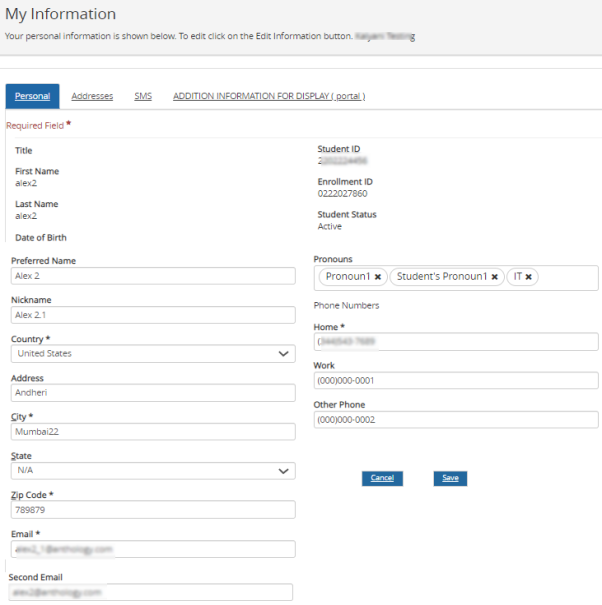
Note: Your institution must allow you to edit your preferred name, pronouns and nickname.
For students who opted for FERPA disclosure, the FERPA icon is displayed.

Note: Click
 to view the FERPA information request form. To manage your FERPA data, navigate to My FERPA.
 -
Click each of the following fields and perform steps 2 through 4 to update relevant information:
- Addresses
- SMS
- Additional Information (school-defined fields)
