Creating a Case from a Student Alert Record
A case record can be created and associated with a student alert record. Based on the mechanism that institutions implement to address student issues, designated staff can review student alert records, and if they determine that some records qualify to be associated with cases, they can create cases for such student alert records.
This framework enables institutions to determine if follow-up action should occur within the student alert framework or if its required to create a case.
Scenario 1
In the student alert form, to create an associated case when saving the student alert record, set the value of the Create Case field to Yes. By default, its value is No.
OR
Scenario 2
In the student alert record that’s previously created:
- From a submission on your institution’s website:
- Set the name of the student in the Student field.
- Change the value of the Create Case field to Yes.
- Save the record.
- From the associated contact record, set the Create Case field to Yes, and then save the record.

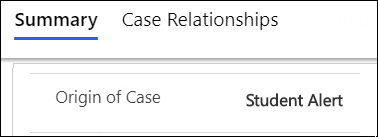
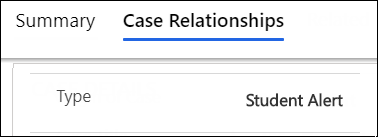
In the new case record (Case – Student Alert form), the value of the following fields will be set to Student Alert:
When you refresh the student alert record, the value in the Associated Case field will be updated with a new case record (format <Student’s last name> - <Alert Reason>).
Note: At the institution if designated authorities resolve or cancel a case record, the following fields will be updated in the associated student alert record:
| Field | From | To | |
|---|---|---|---|
| On Clicking Resolve Case | On Clicking Cancel Case | ||
| Status | Active | Inactive | Inactive |
| Status Reason | Active | Resolved | Cancelled |
Additionally, the student alert record will change to a read-only state.
