The topic "Conversation Flow with Selection Choices" is not available in Version 1.0.0
Conversation Flow with Selection Choices
Digital Assistant 1.1 introduces conversation flows with content selection choices. By offering choices, the bot guides the conversation flow and reduces the amount of typing needed by user. In web chat the choices are presented as clickable Choice Prompts (cards); in Live Assist the choices are presented as numbered Choice Lists.
To build the choices, we categorized and tagged the FAQ Model - Sorted by ID content based on the following areas:
- Academics
- Admissions
- Advising
- Campus Logistics
- Deadlines
- Financial Aid
- Student Services
Choice Prompts in Web Chat
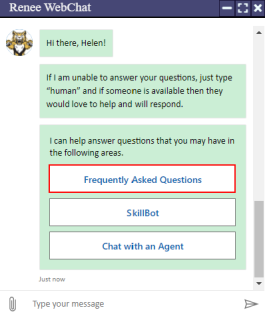
In web chat, after the bot has prompted the user for name and email address, the user can select Frequently Asked Questions, Custom SkillBot (if available), or Chat with an Agent.
In our example:
-
The user selects Frequently Asked Questions.
-
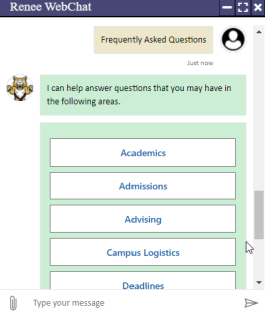
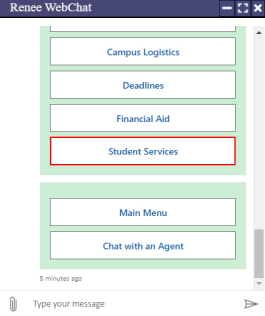
The bot presents the list of FAQ areas.
-
The user selects Student Services.
-
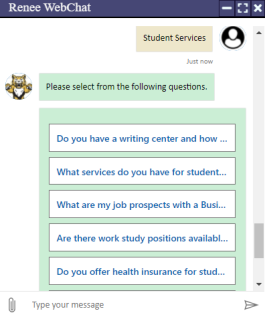
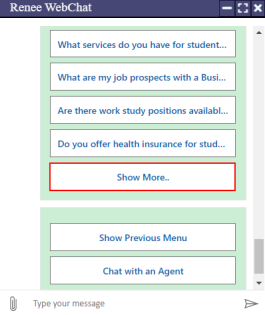
The bot returns a set of questions related to the selected area. If there are more than 5 questions, the bot presents the Show More card.
-
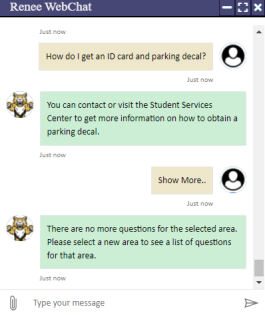
In our example, the user selects the Show More card.
-
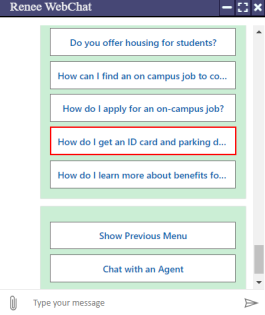
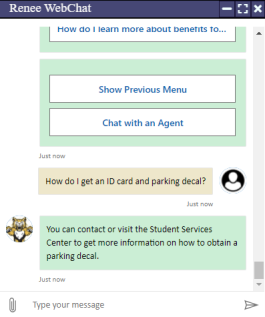
After the user selects Show More, the bot returns the next set of questions for the selected area. Our user selects the question "How do I get an ID card and parking decal?"
-
The bot returns the answer that is stored in the FAQ Model - Sorted by ID.
-
If the user selects Show More again after the last set of question for a selected are has been displayed, the bot asks the user to select a new area.
-
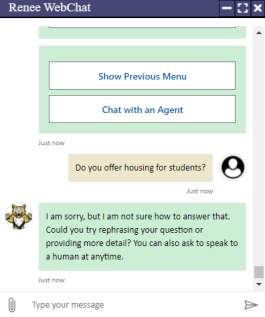
If the user selects a question that is not applicable to the campus or does not have an answer in the FAQ Model, the bot will respond with a default answer and redirect the user to a human.
-
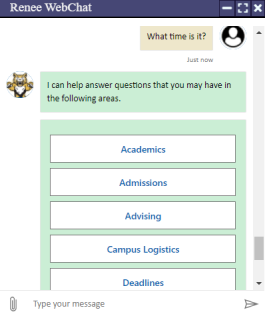
If the bot does not understand the intent of a question, it will return to the list of categories.
At any point during the chat, the user can:
-
Type a message
-
Select Show Previous Menu / Main Menu
-
Scroll and select different cards
-
Select Chat with an Agent / request "human" (see Web Chat Transfer to an Agent)
Choice Lists in Live Assist Chat
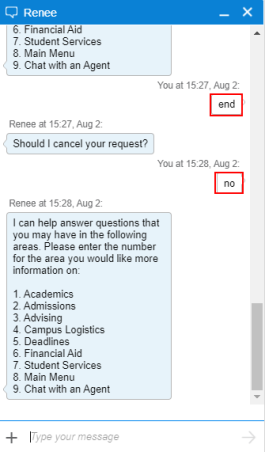
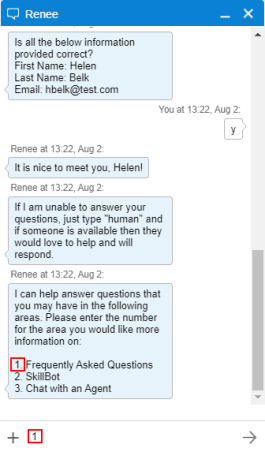
In Live Assist chat, after the bot has prompted the user for name and email address, the user can select Frequently Asked Questions, custom SkillBot (if available), or Chat with an Agent. The user can type the number to select an option.
In our example:
-
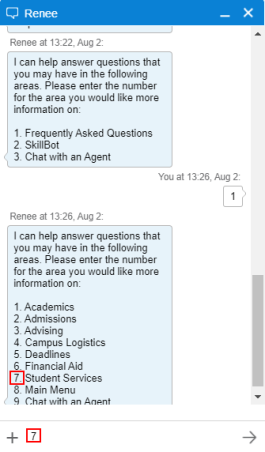
The user selects Frequently Asked Questions.
-
The bot presents the list of FAQ areas and the user selects Student Services.
-
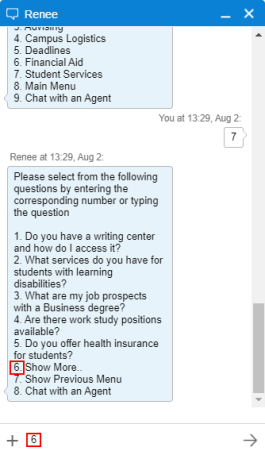
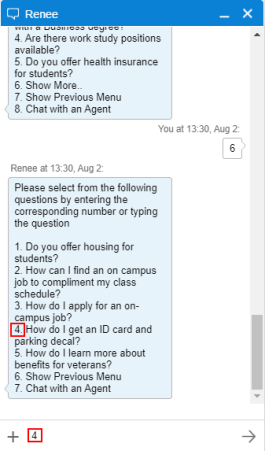
The bot returns a set of questions related to the selected area. If there are more than 5 questions, the bot presents the Show More option. The user selects Show More and the next set of questions for the selected area is presented.
-
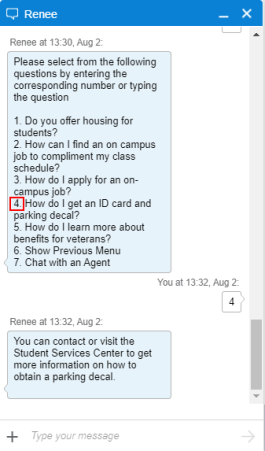
Our user selects the question "How do I get an ID card and parking decal?"
-
The bot returns the answer that is stored in the FAQ Model - Sorted by ID.
-
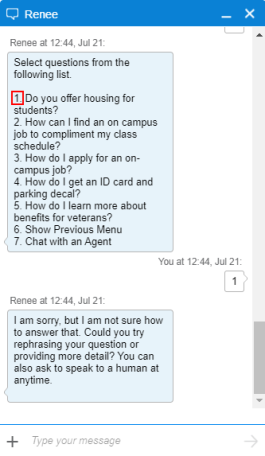
If the user selects a question that is not applicable to the campus or does not have an answer in the FAQ Model, the bot will respond with a default answer and redirect the user to a human.
-
If the bot does not understand the intent of a question, it will return to the list of categories.
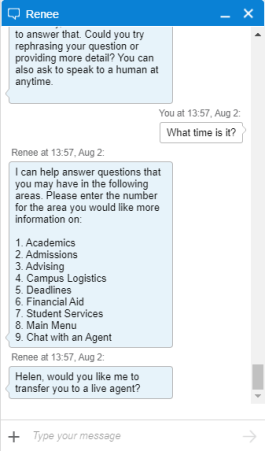
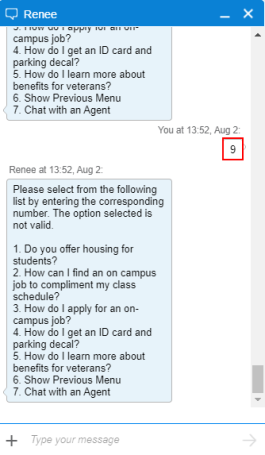
If the user enters an invalid option number, the bot will respond display the list of valid options again.
Note: The bot recognizes valid and invalid option numbers only in relation to the most recent list of options displayed by the bot.
At any point during the chat, the user can:
-
Type a message
-
Request "human" (see Transfer to an Agent)
Bot Responses to a Cancel Request
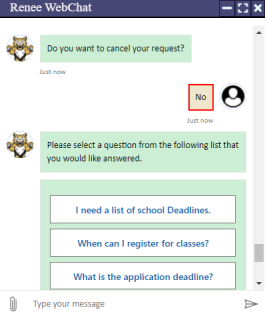
If a user is at the main menu and types "Cancel", "Stop", or "End", the bot re-displays the main menu.
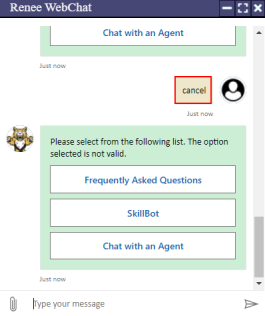
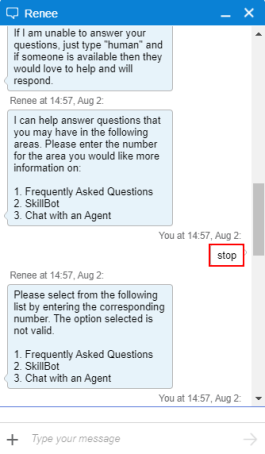
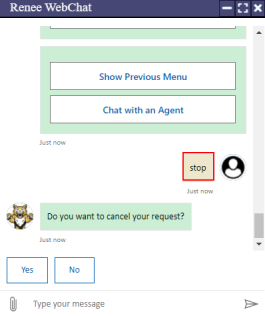
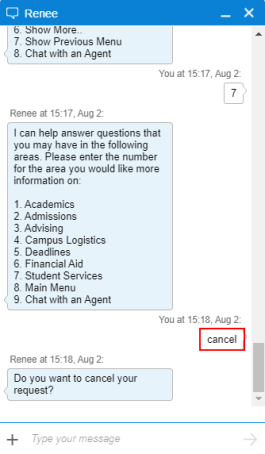
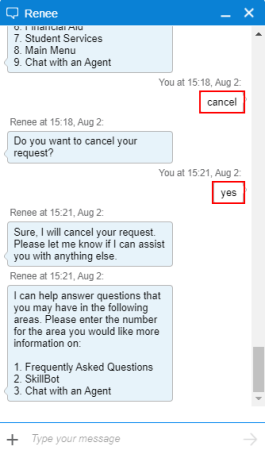
If the user has already made selections, has requested transfer to agent, or is sending an email and then types "Cancel", "Stop", or "End", the bot asks the user to confirm the cancel request.
-
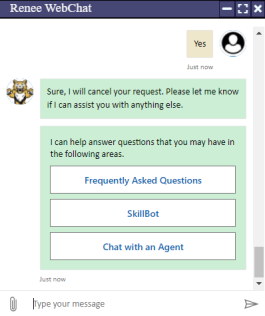
If the user responds with "yes", the bot confirms the cancellation of the request and re-displays the main menu.
-
If the user responds with "no", the bot re-displays the previous choices.