The topic "Conversation Flow for Custom Skills" is not available in Version 1.0.0
Conversation Flow for Custom Skills
Anthology Digital Assistant 1.1 enables customers to extend the skills of the chat bot by adding customer-specific data sources and/or customer-specific questions and answers (see Integration Requirements). The custom skills are configured in the Internal Administration Portal (see Configure Tenant Skills).
Clients can configure multiple custom skills in the Internal Administration Portal. The configured Name of each custom skill will be displayed in the bot menu. You can assign any Name as appropriate for your custom skills. In our example, the bot is configured with one set of custom skills named "Skillbot". 
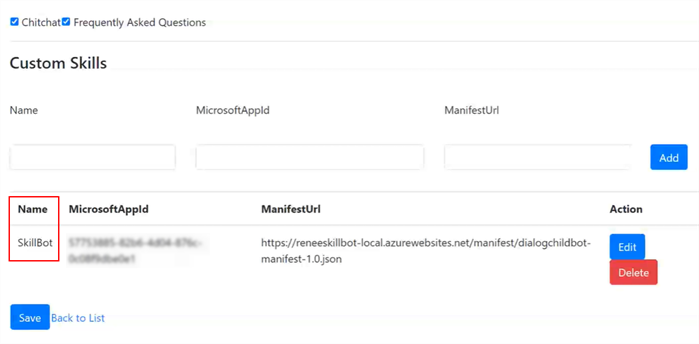
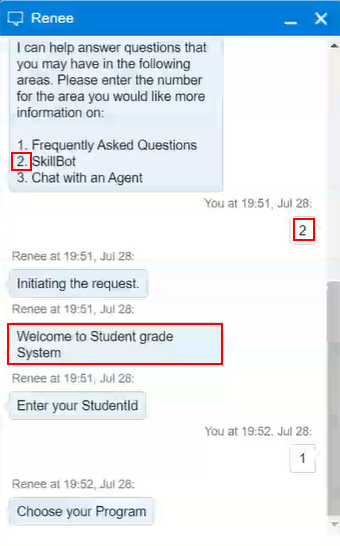
For each configured custom skill, the Digital Assistant will display a selection choice. In web chat the choices are presented as clickable Choice Prompts (cards); in Live Assist the choices are presented as numbered Choice Lists.
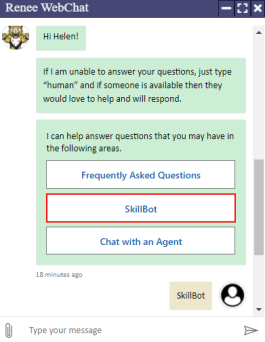
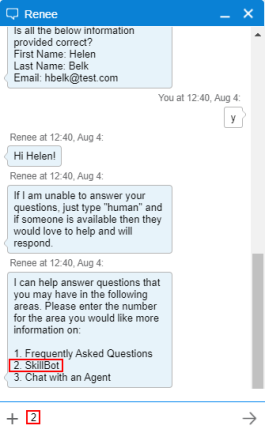
Custom Skills in Web Chat
In web chat, after the bot has prompted the user for name and email address, the user can select Frequently Asked Questions, one or more custom skills, or Chat with an Agent.
In our example:
-
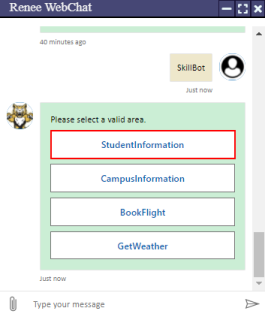
The user selects SkillBot. The bot presents the activities available in the custom skill. The user selects Student Information.
-
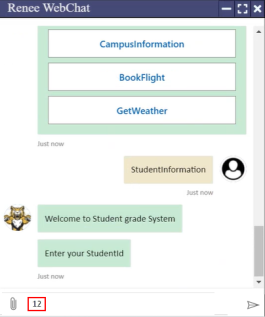
The bot accesses the Student Information system and prompts the user for Student ID. The user enters a Student ID.
-
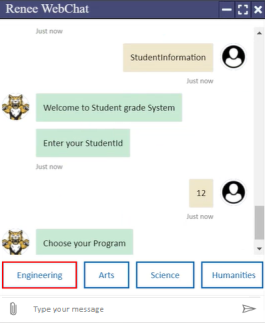
The bot prompts the user to select a program. The student selects Engineering.
-
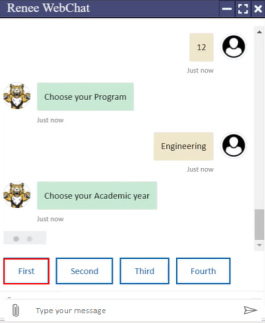
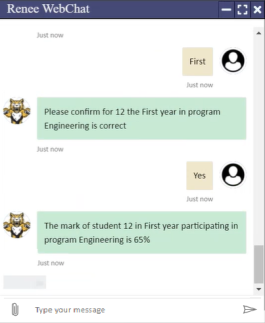
The bot prompts the user to select the academic year. The student selects First.
-
The bot prompts the user to confirm the academic year and program.
-
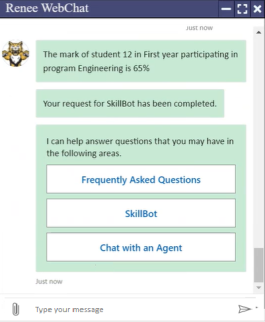
The bot returns the grade achieved and re-displays the main menu.
Error Handling for Custom Skills
-
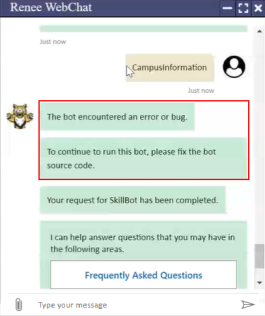
If the bot encounters a handled exception in a custom skill, it will return a message indicating that the bot source code needs to be fixed.
-
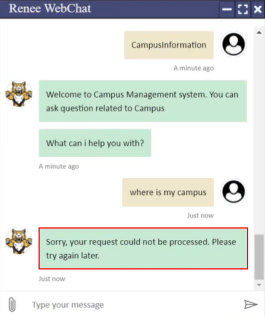
If the bot encounters an unhandled exception in a custom skill, for example, if the knowledge base for this activity is incorrect, it will return a default error message ("Sorry... try again later").
Multiple Activities and Single Activities
The manifest .json file for custom skills defines skills with a type value of event or message.
The event type is used when a custom skill set includes multiple activities.
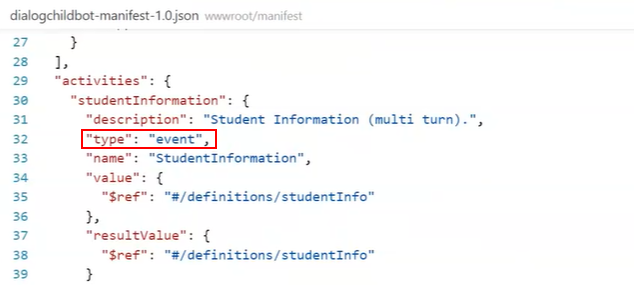
The examples above show event-based activities, i.e., the bot displays multiple areas for selection (Student Information, Campus Information, Book Flight, and Get Weather) under the Skillbot option.
The message type is used for single activities that will be invoked directly from the chat bot.
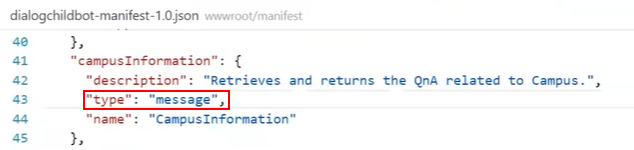
The example below shows the bot response when an activity is coded as a message type. Here, the Student Information activity is accessed directly; no other areas are available for selection under the Skillbot option.