Error on Saving a Record in Anthology Student
Problem
On saving a record in Anthology Student, users would encounter the following error:
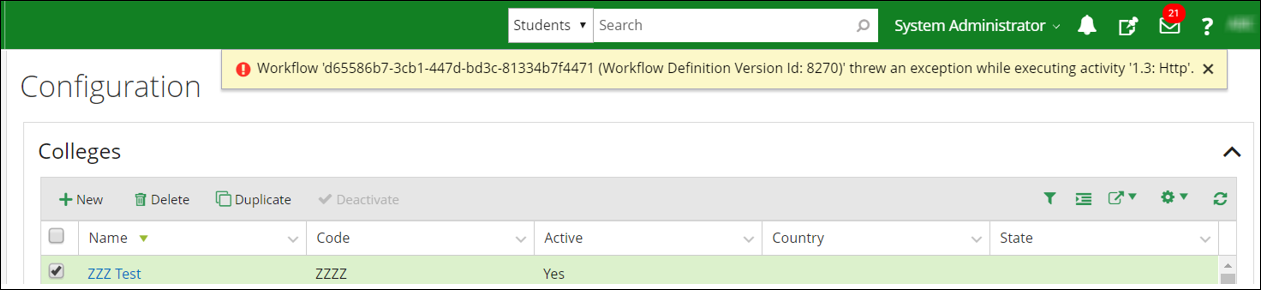
The error is logged in the following format:
2019-07-22 05:22:41.8646|25|Error|Cmc.Core.Workflow.WorkflowEngine|Workflow 'd65586b7-3cb1-447d-bd3c-81334b7f4471 (Workflow Definition Version Id: 8270)' threw an exception while executing activity '1.3: Http'.
Cause
The Flow URL configured in the Anthology Student syRegistry table is incorrect.
This may be occurring if the Flow URL has been regenerated because of an internal maintenance process in Microsoft Azure.
Resolution
The Flow URL in the Anthology Student syRegistry needs to be updated.
For each entity, a unique flow URL is configured in the Anthology Student syRegistry table. The table includes the Flow URL, i.e., the URL where integration data from Anthology Student needs to be posted.
Perform the following steps to update the affected Flow URL in the Anthology Student syRegistry table:
- Identify the failing Anthology Student Workflow. With the Workflow Definition Version Id mentioned in the trace file, identify the entity and the Workflow which has failed using the following query:
Select Name, EntityType from WorkflowDefinition with (nolock) where Id in (Select WorkflowDefinitionId from WorkflowDefinitionVersion with(nolock) where Id = <<WorkflowDefintionVersionId>>)
- Use the Index table at the end of this procedure to identify the name of the Anthology Reach Flow against the Anthology Student Workflow Name identified in step 1). Also note the Registry Key Name of the Flow. In scenarios where the original flow is copied and then edited, the copied flow must be referenced in step 4.
- Navigate to the Campus Management Data Integration solution (step 4 in the diagram) in https://make.powerapps.com (step 1), and:
- Select the Microsoft Dynamics org (step 2).
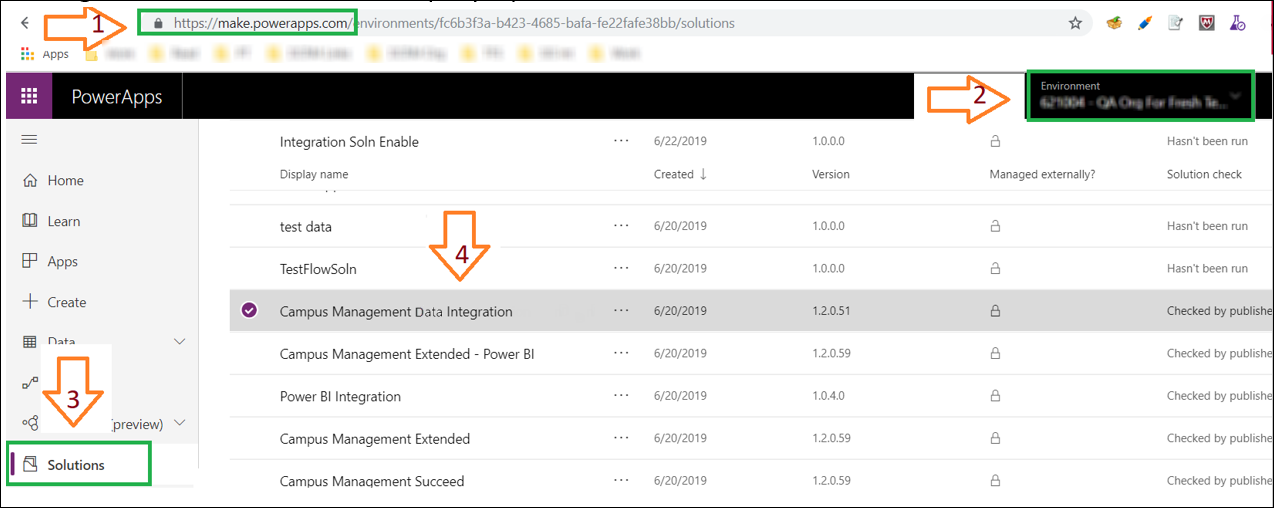
- Navigate to the Solutions menu (step 3).
- Select the Microsoft Dynamics org (step 2).
- Navigate to the Flow as identified in the index table and open the Flow:
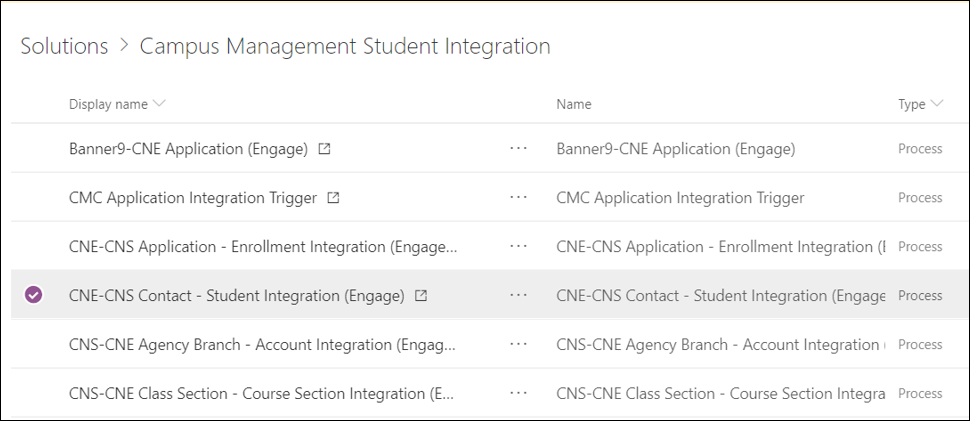
- Choose the Edit option in the top left corner.
- Open the first step in the flow by clicking on the title bar:
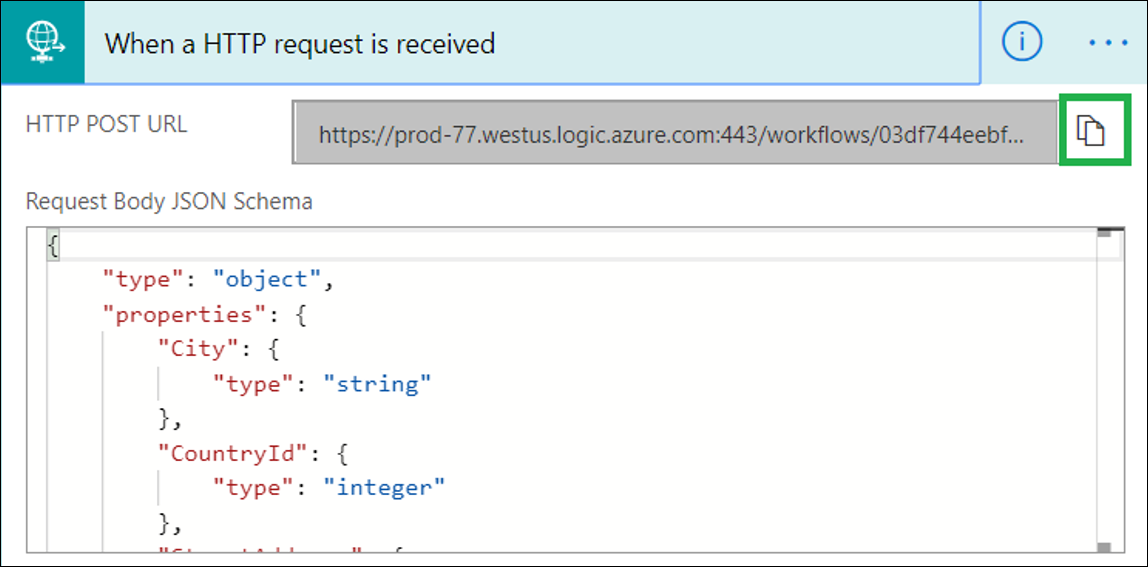
- Click the Copy button (
 ) adjacent to the “HTTP POST URL” field and copy the Flow URL.
 - Using the copied Flow URL and the Registry Key name identified in step ii) update the Flow URL in the syRegistry table using the following query:
Update SyRegistry Set RegValue = '<FlowUrl>' where RegKey = '<RegKeyName>'
Verify if the operation is performed without any errors. The updated URL is picked by the Workflow and does not require an application restart.
Workflow - Flow Index
| Workflow Name | Flow Details |
|---|---|
|
|
|
|
|
|
|
|
|
|
|
|
|
|
|
|
|
|
|
|
|
|
|
|
|
|
|
|
|
|
|
|
|
|
|
|
|
|
|
|
