Troubleshooting Tips
This section will include any manual workarounds to issues that an administrator/professional services will encounter during integration.
For each integration operation, a record of the Integration Log entity is created, It indicates the status of the integration in the Integration Status field with the values Success or Failed.
The Entity Name field lists the CampusNexus Student entity, with its ID in the Entity Id field. The Primary Name field contains the flow name where the flow has failed. The Flow Run Url field stores the URL of the run of the flow that failed; click the URL to view details of the failure.
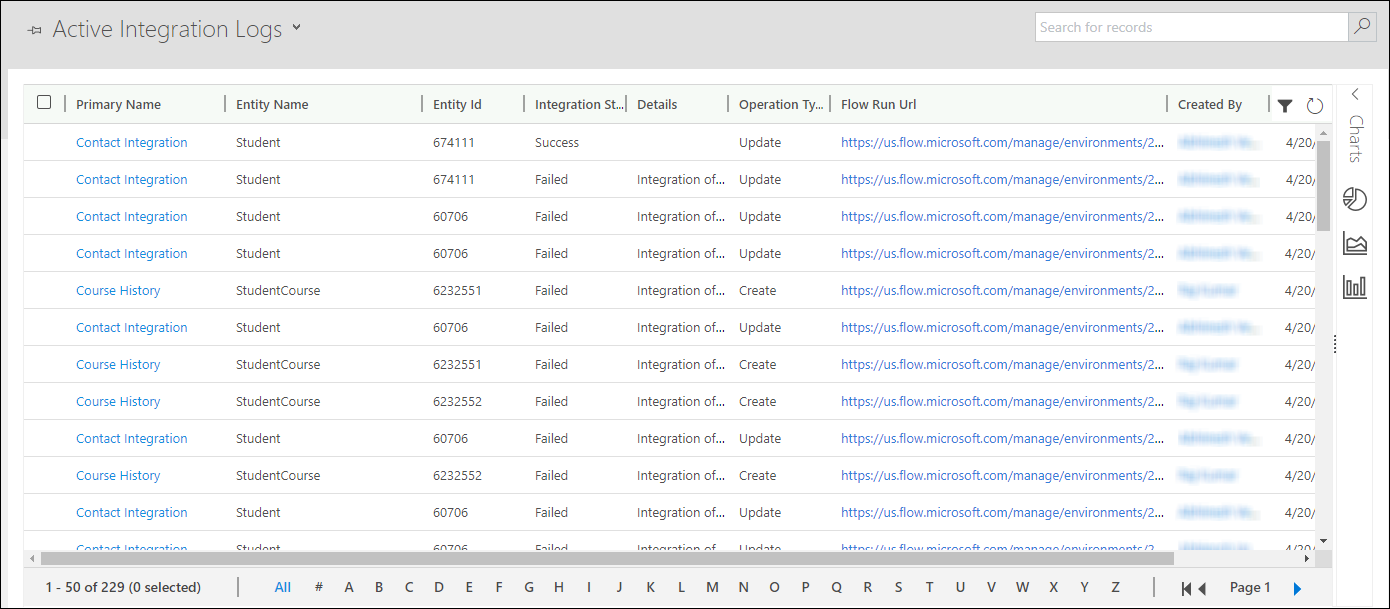
On clicking the flow Run URL, the flow run is displayed as follows:
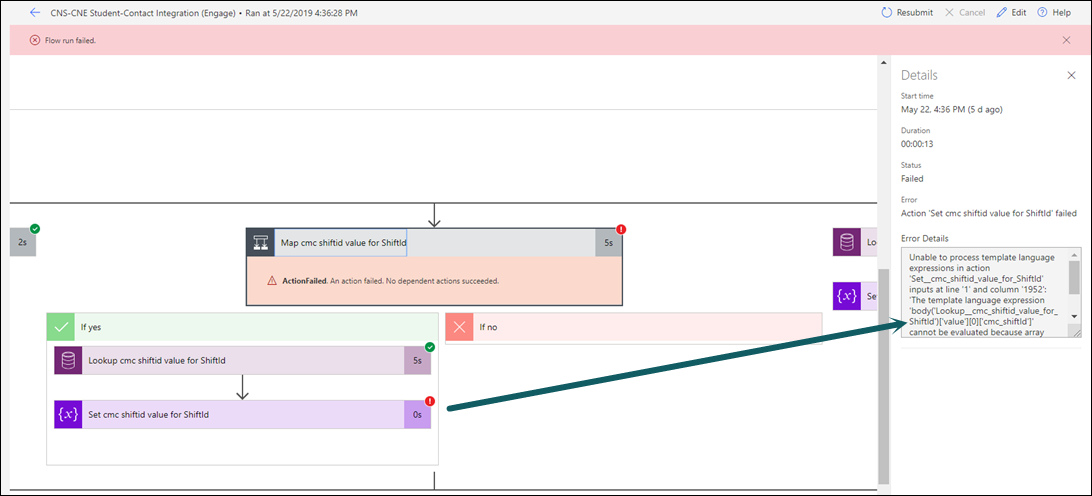
If the following error is displayed:
“Unable to process template language expressions in action '<Action Step Name>' inputs at line '1' and column '1965': 'The template language expression <expression> cannot be evaluated because array index '0' cannot be selected from empty array. Please see https://aka.ms/logicexpressions for usage details.'”
This error can occur due to either of the following causes:
- A picklist mapping is not present. A picklist mapping needs to be created as specified in Adding a new Picklist Value.
- The record has a lookup value for which data has not been integrated. This error occurs, for example, in a Contact record, if the Program field has a program which is not integrated in CampusNexus Engage. To resolve the issue, the Program must be imported into CampusNexus Engage.
